Q-Answers FAQ Theme - Responsive and stylish knowledgebase with accordion script
Q-Answers is a stylish FAQ and knowledgebase theme that makes it easy to present your questions and answers on your site. It comes with a clean, responsive design, and a powerful, created from the scratch accordion script for collapsible content with many customization options that make it a great choice for your Frequently Asked Questions section.

Two different FAQ layouts with five different options
Q-Answers generates the FAQ in two different ways: sidebar with tags and recent posts or tag list with posts; in total, it delivers 5 beautiful pre-defined layouts with many options to meet your needs: a) Sidebar with all tags and latest posts, b) Sidebar with selected tags and latest posts, c) Sidebar with selected tags and posts, d) List of all tags with posts, e) List of selected tags with posts.


FAQ sections powered by a powerful, dedicated Accordion component
To handle a set of questions and answers we created a fully WAI-ARIA compliant and smoothly animated accordion script that expands and collapses accordion panels using CSS3 transitions. Written in Vanilla JS, it allows you to open one panel at a time or keep expanded other panels, as well as open the first panel while reloading the page.

Improve your SEO with FAQPage Structured Data/Schema Markup
With properly marked up Frequently Asked Question (FAQs) pages, the Q-Answers theme may help you makes your page eligible on Google’s rich search results and an Action on the Google Assistant. The structured FAQPage data is generated in two formats: JSON-LD (recommended) or Microdata.

Highlight your important content
Sometimes, you may want to highlight the important questions and answers. The Q-Answer makes it simple, all posts marked as featured will be automatically stick on top of the rest with distinctive styling.

Highly customizable FAQ theme
Make your knowledge base website beautiful and unique with personalized theme options: define the width of the sidebar and the main content section, as well as color scheme or the radius of an element’s corners.

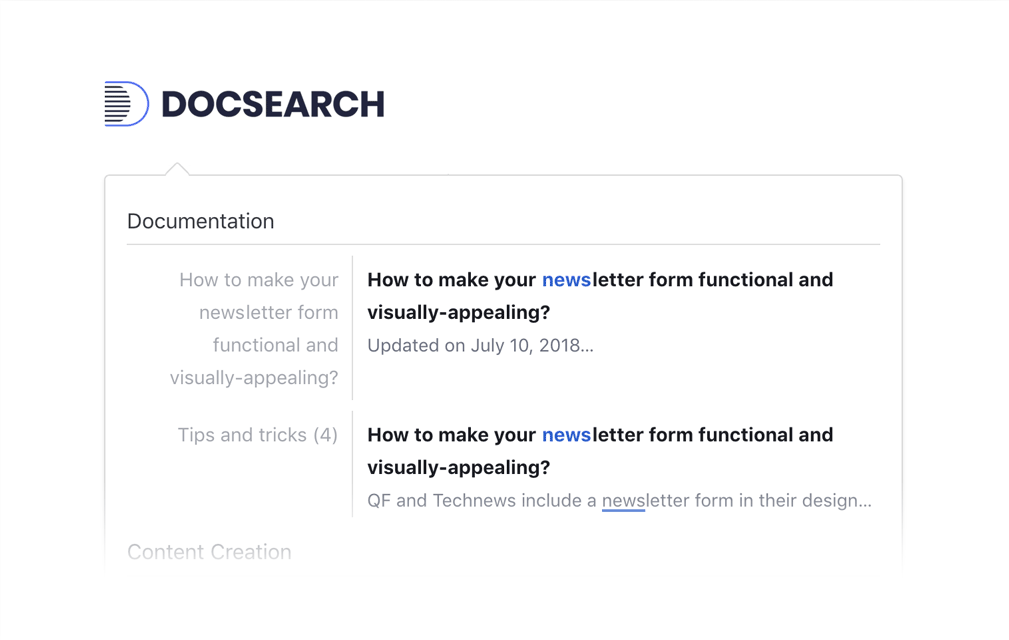
Make content easy to find with DocSearch
Q-Answer theme supports a fast, docs-focused solution with Algolia’s DocSearch (it restyles the search plugin to fit perfectly with the theme style). DocSearch displays clear suggestions to search queries as you type, providing a fast and reliable method for your users to find what they’re looking for.
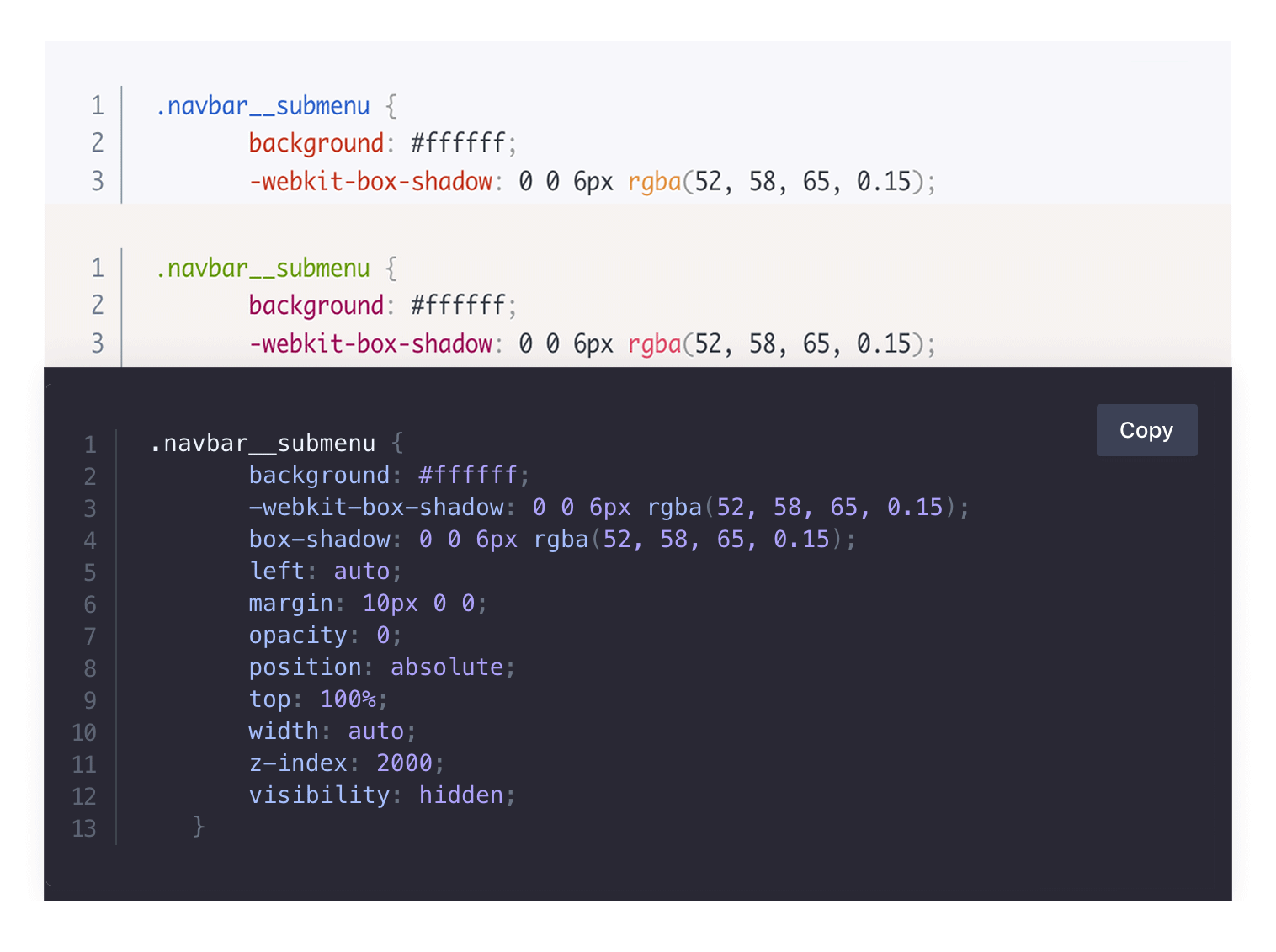
A simple to use code syntax highlighter
You can easily highlight code in various programming languages by using the Syntax Highlighter plugin. Features such as line numbering and a Copy to Clipboard button enhance the user experience, making it even more convenient for developers and readers alike.
* Plus VAT for EU customers
What's included
- Unlimited use - forever, on any number of domains
- 12 months of access to files and updates
- 3 months of premium support included
- 100% ready for personal and commercial use
- One-time payment - no automatic renewals, optional update access at 50% off
- Optimized for speed, SEO, and mobile experience
What's excluded
- Premium plugins are not included - available as a separate purchase
Details
- Author:
- Publii Team
- Version:
- Updated:
- Nov 04, 2025
Requirements and compatibility
- Browser:
- Edge, Firefox, Chrome, Safari, Opera
- Requirements:
- Publii 0.46.x and up
Built for fast loading
Our themes use custom CSS and JavaScript without jQuery or a CSS framework. Publii generates your pages before publication, so your hosting serves finished HTML files. You can also choose system fonts to display text without downloading additional font files.
Learn more about performanceThree months of support included
Your purchase includes three months of support through our ticket system. Contact the Publii team for help with the theme's settings or to report a problem.
Read support termsPurchase FAQ
Find out what your purchase includes, how payments work and what happens when your update access expires.
Is this a subscription?
No. Every purchase is a one-time payment. We do not renew your access or charge you automatically. Your purchase includes 12 months of access to product files and updates and three months of technical support.
What happens when my 12 months of file and update access expire?
You can continue using the downloaded theme or plugin without a time limit, subject to its license terms. However, you will no longer be able to download the product or access new updates.
When your access expires, we will send you an email reminder. For the following 60 days, you can renew your access for another 12 months using the link in that email or the "Renew" option in your User Panel. A 50% discount is applied automatically during this renewal period.
After the 60-day renewal period ends, the discounted renewal option will no longer be available. To regain access to the product files and updates, you will need to purchase the product again at its regular price.
Renewal restores access to product files and updates for another 12 months but does not include a new technical support period.
If you need assistance after your included support period has ended, please contact our Customization Service.
How is VAT calculated, and can I receive an invoice?
Any applicable VAT is calculated during checkout based on the information you provide. The final price, including any applicable VAT, is displayed before you place your order.
To receive an invoice, select the "I want an invoice" option during checkout. Once issued, the invoice will be available in your User Panel, and we will notify you by email.
Are premium plugins included?
Premium plugins are not included with this theme. You can purchase them separately from the Publii Marketplace.
Can I cancel my purchase or request a refund?
Our products are digital content delivered immediately after payment. When delivery begins with your prior express consent and acknowledgment, you may lose your statutory right to withdraw from the purchase.
For full details, see our Terms and Conditions.