
Markdown for AI
Markdown for AI creates clean Markdown versions of your posts and pages. This gives AI tools a direct way to read the main content without sorting through navigation, scripts, or theme markup. The plugin works with all three Publii editors and links each Markdown file from its original HTML page. It skips noindex content by default. You choose whether it processes posts, pages, or both. You can also include metadata and generate files during Preview.
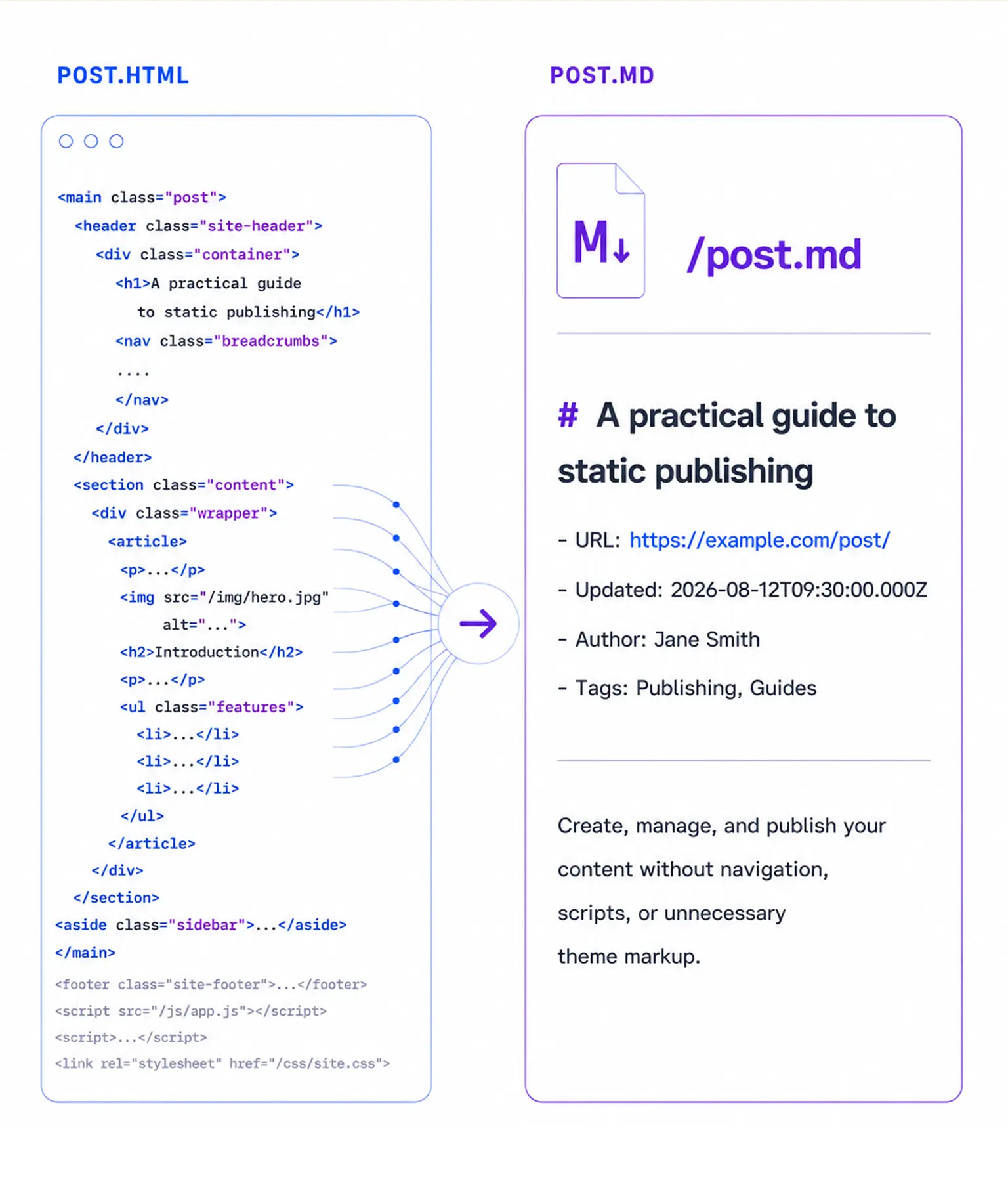
Give AI tools a clean copy of your content
An HTML page contains the article alongside navigation, cookie notices, and theme code. AI tools need to separate that material before they can work with the text you published.
Markdown for AI creates a companion .md file for each eligible Publii post and page. A post at /post/ gets a Markdown version at /post.md. The file contains the title and main content, with optional metadata at the top.
The plugin reads content from Publii’s Markdown, WYSIWYG, and block editors during site generation. You can keep writing in the editor you use now.
Using LLMS.txt Generator? Activate both plugins to connect the LLMS.txt website index with Markdown versions of your posts and pages. Read about the integration.
Markdown that follows your source content
For content written in Publii’s Markdown editor, the plugin uses the original Markdown source. It converts WYSIWYG documents from HTML and processes block editor content one block at a time.
Headings, lists, quotations, and tables keep their document structure. Links, images, galleries, and code blocks remain useful in the Markdown file. The plugin removes scripts, styles, navigation elements, and generated tables of contents.
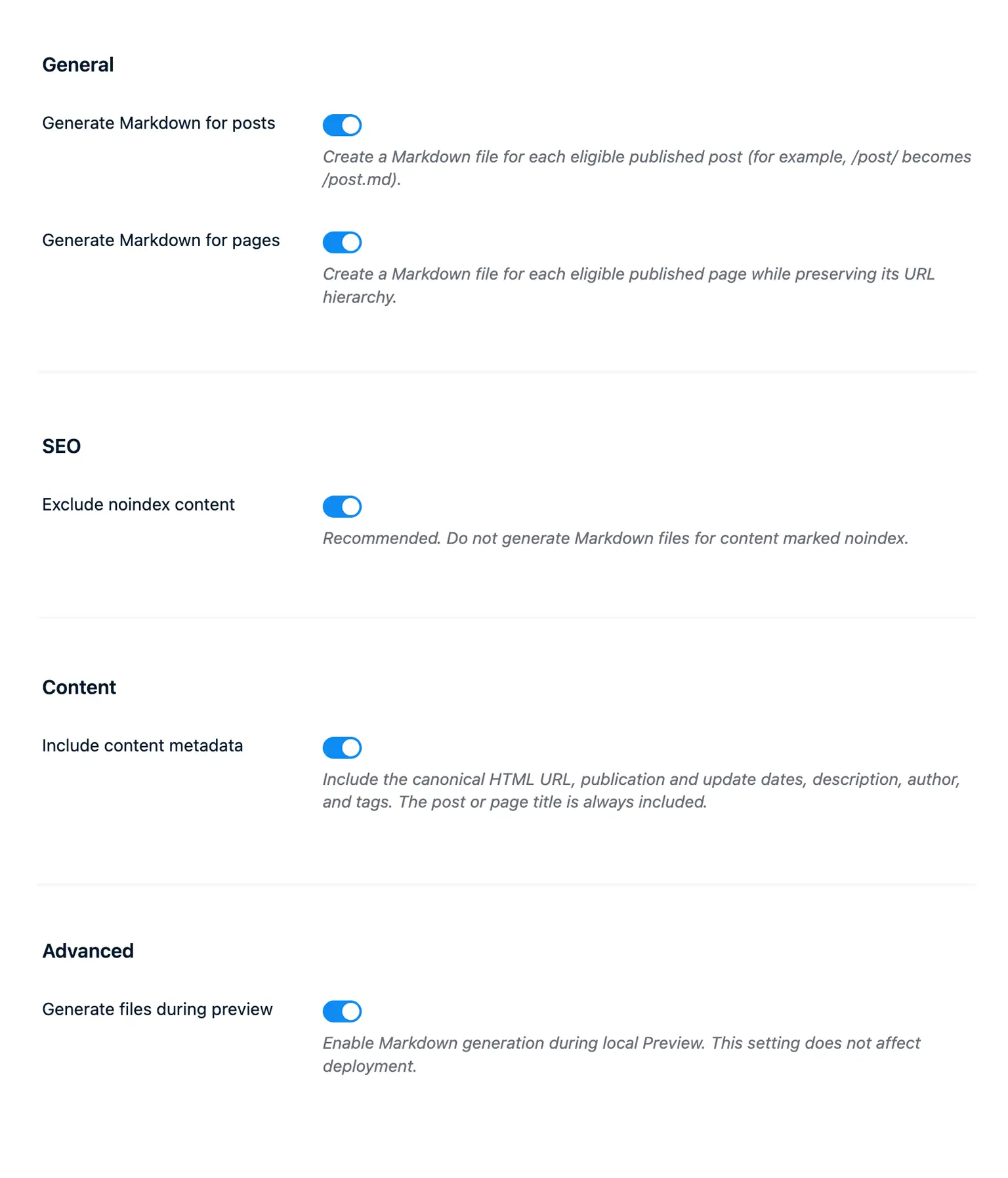
Each file starts with the post or page title as an H1 heading. Turn on metadata to add the original HTML address and publication dates. You can include the description, author, and tags too.
A generated file may look like this:
# Post title

- URL: https://example.com/post/
- Published: 2026-08-11T10:00:00.000Z
- Updated: 2026-08-11T12:00:00.000Z
- Description: A short description of the post
- Author: Jane Smith
- Tags: AI, Publii

Post content...
The plugin keeps page hierarchies in their paths. A page at /page/about/ receives its Markdown file at /page/about.md.
Link each Markdown file from the HTML page
After the plugin creates a Markdown file, it adds an alternate-document link to the source page:
<link rel="alternate" type="text/markdown" href="https://example.com/post.md"/>An AI tool reading the HTML can follow this link instead of guessing the Markdown address. The plugin adds it after confirming that the corresponding file exists.
Your HTML page remains the main public version. Markdown for AI leaves its title, canonical URL, meta description, robots settings, structured data, and sitemap entry unchanged. It does not add generated Markdown files to the Publii sitemap.
Choose what Publii generates
The plugin skips posts and pages marked noindex. If you add noindex to a document that already has a Markdown file, Publii removes that file the next time it renders the content.
You can generate Markdown for posts, pages, or both. Metadata has its own setting. Turn on Preview support when you want to inspect the files before publishing.
Connect Markdown for AI with LLMS.txt Generator
Markdown for AI works on its own. If you also use LLMS.txt Generator, the two plugins connect the website index with the full Markdown version of each document:
- LLMS.txt Generator creates a short website index with links to selected posts and pages.
- Markdown for AI creates the complete Markdown files behind those links.
When both plugins are active, each Markdown document includes a notice that points to the main llms.txt index:
> ## Content Index
> Fetch the complete content index at: https://example.com/llms.txt
> Use this file to discover other available public pages before exploring further.
LLMS.txt Generator can use Markdown addresses for eligible Publii posts and pages. It checks for the .md file before adding the link. If the plugin skipped a document, could not create its Markdown file, or found a noindex setting, LLMS.txt Generator keeps the original HTML address. It leaves custom links as you entered them.
Static files that publish with your website
Publii creates ordinary .md files while it renders the website. You do not need a server application, database connection, or client-side script. Host, cache, and deploy the files with the rest of your site. Publii updates a Markdown file when it renders the related content again.
A note about AI services
A Markdown version gives external tools a direct route to your content. Each AI service decides whether to crawl, index, cite, or use it.
For current information about Markdown and AI agents, read Should you publish Markdown versions of your web pages for AI? The article covers available research along with guidance from Google and major AI platforms.
* Plus VAT for EU customers
What's included
- Unlimited use - forever, on any number of domains
- 12 months of access to files and updates
- 3 months of premium support included
- 100% ready for personal and commercial use
- One-time payment - no automatic renewals, optional update access at 50% off
Details
- Author:
- Publii Team
- Version:
- Updated:
- Aug 15, 2026
Requirements and compatibility
- Browser:
- Edge, Firefox, Chrome, Safari, Opera
- Requirements:
- Publii 0.47.x and up

Get 3 months of professional support
Getting started with a new plugin on a new website can be a challenge, but our experts are here to help. Every purchase of the commercial plugin includes three months of support through our dedicated ticket system, so you'll have efficient and effective assistance with any issues you run into.