
Static Search
Static Search is a premium plugin powered by FlexSearch that adds fast, customizable search to your Publii website. Visitors can search posts, pages, and tags directly in their browser, with results updating as they type and optional highlighting to make relevant text easier to spot. You control which content gets indexed and can adjust the search settings, labels, and appearance to suit your site.
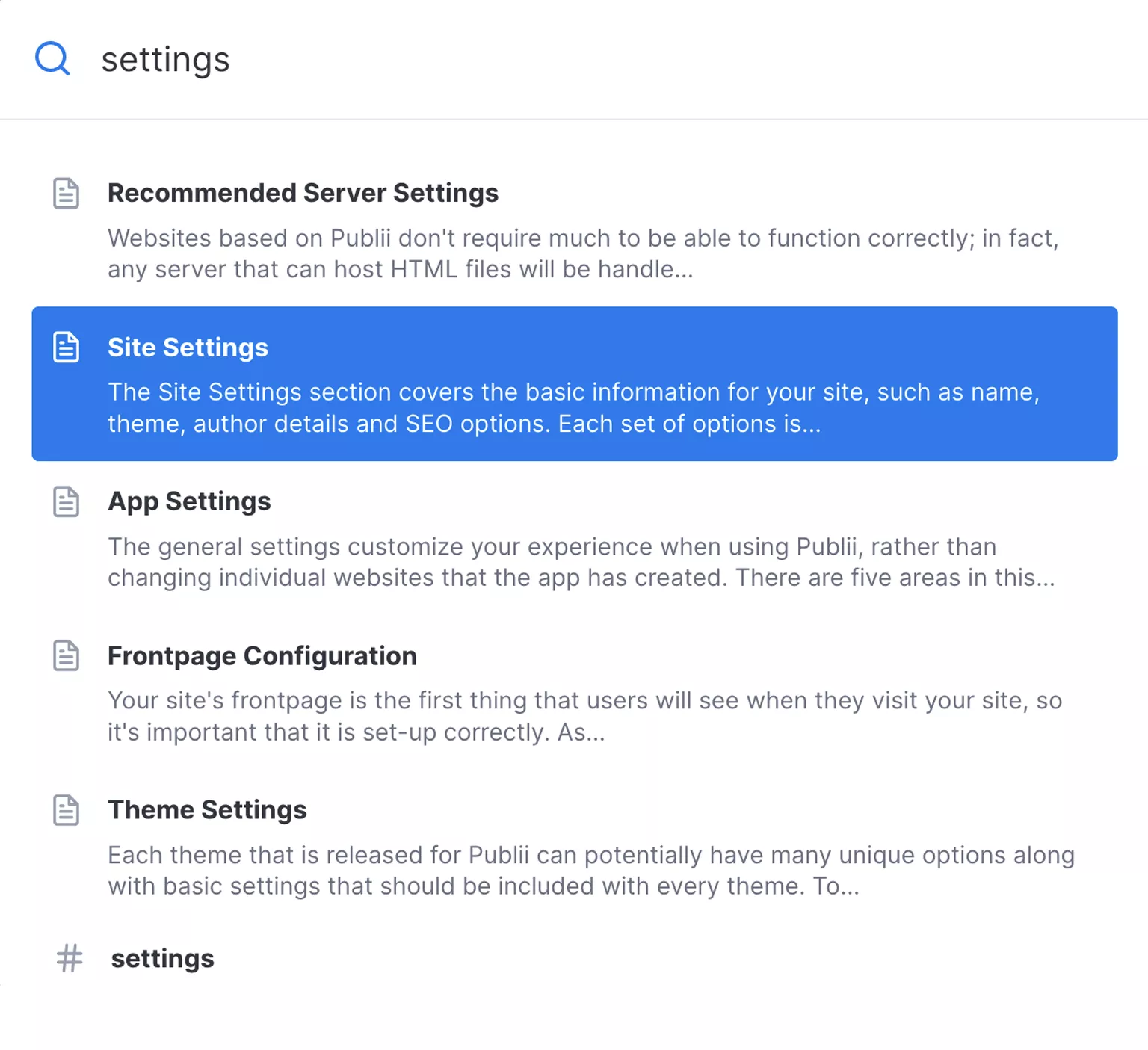
Fast search powered by FlexSearch
Static Search uses FlexSearch to help visitors find posts, pages, and tags on your Publii website. Search runs directly in the visitor’s browser, with results updating as they type.
The plugin builds an index from the content you choose and loads it when a visitor opens search. You can adjust which fields are searched, how words are matched, and how results appear.
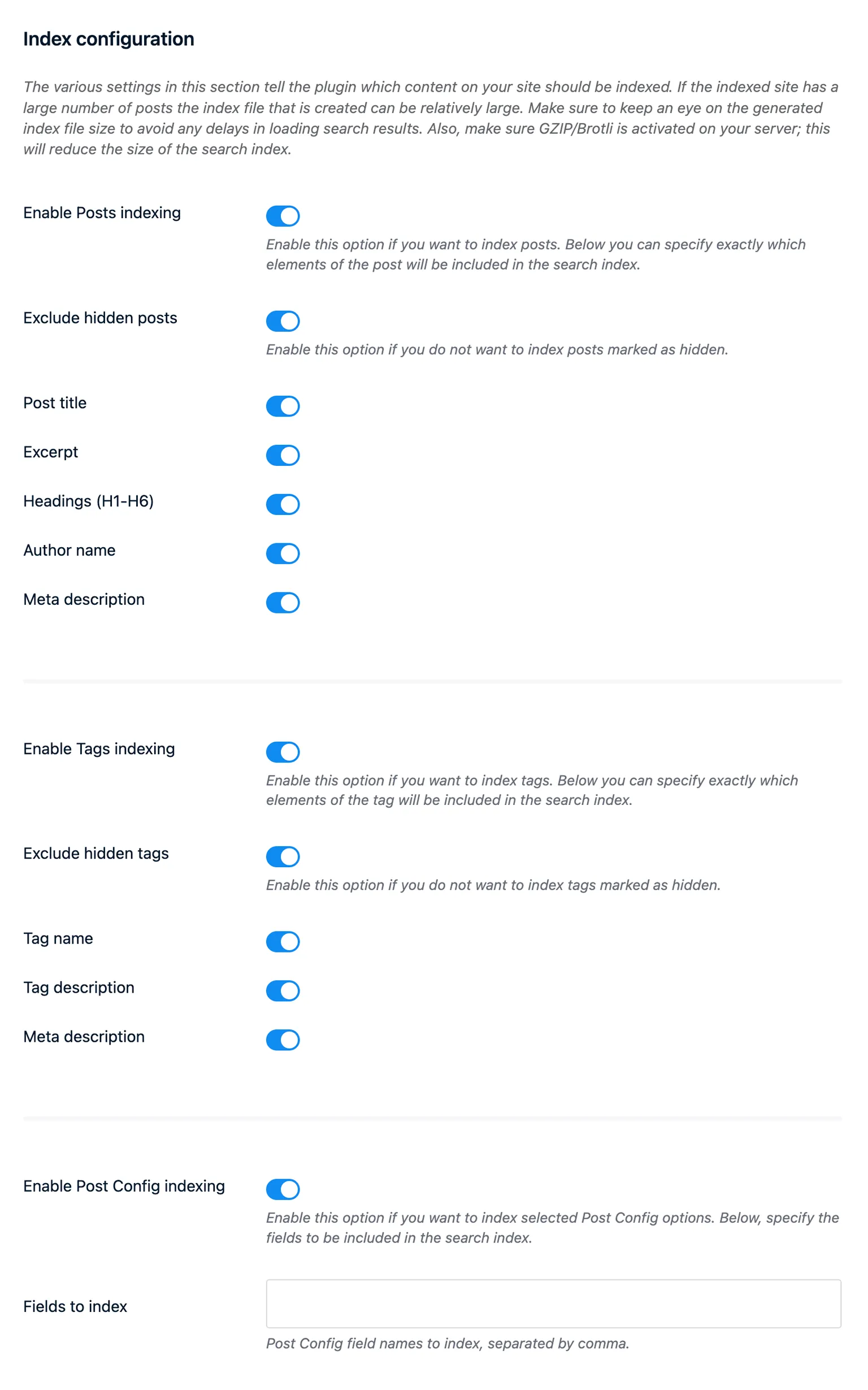
Control your search index
Choose whether to index posts, pages, and tags, then select the fields to include. Titles, excerpts, headings, meta descriptions, and selected configuration fields can be indexed, depending on the content type. Keeping the index focused on useful content can reduce the amount of data visitors need to download.
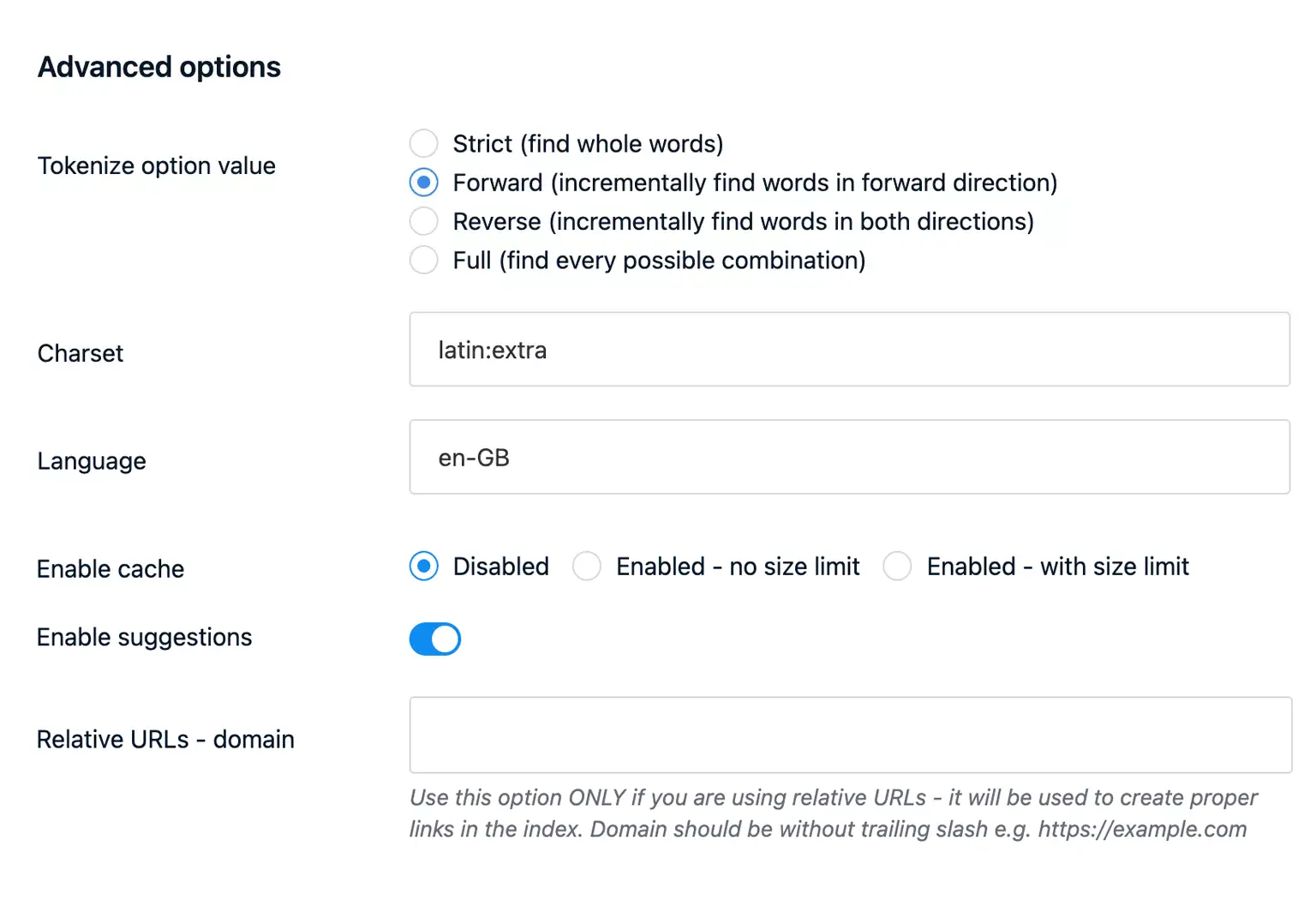
Multiple search modes
Choose how words are matched to suit your content. Forward mode matches the beginning of words, while Full mode also finds matching fragments within words. Broader matching uses more memory in the visitor’s browser, so you can balance search flexibility with memory use.
Highlight what matters
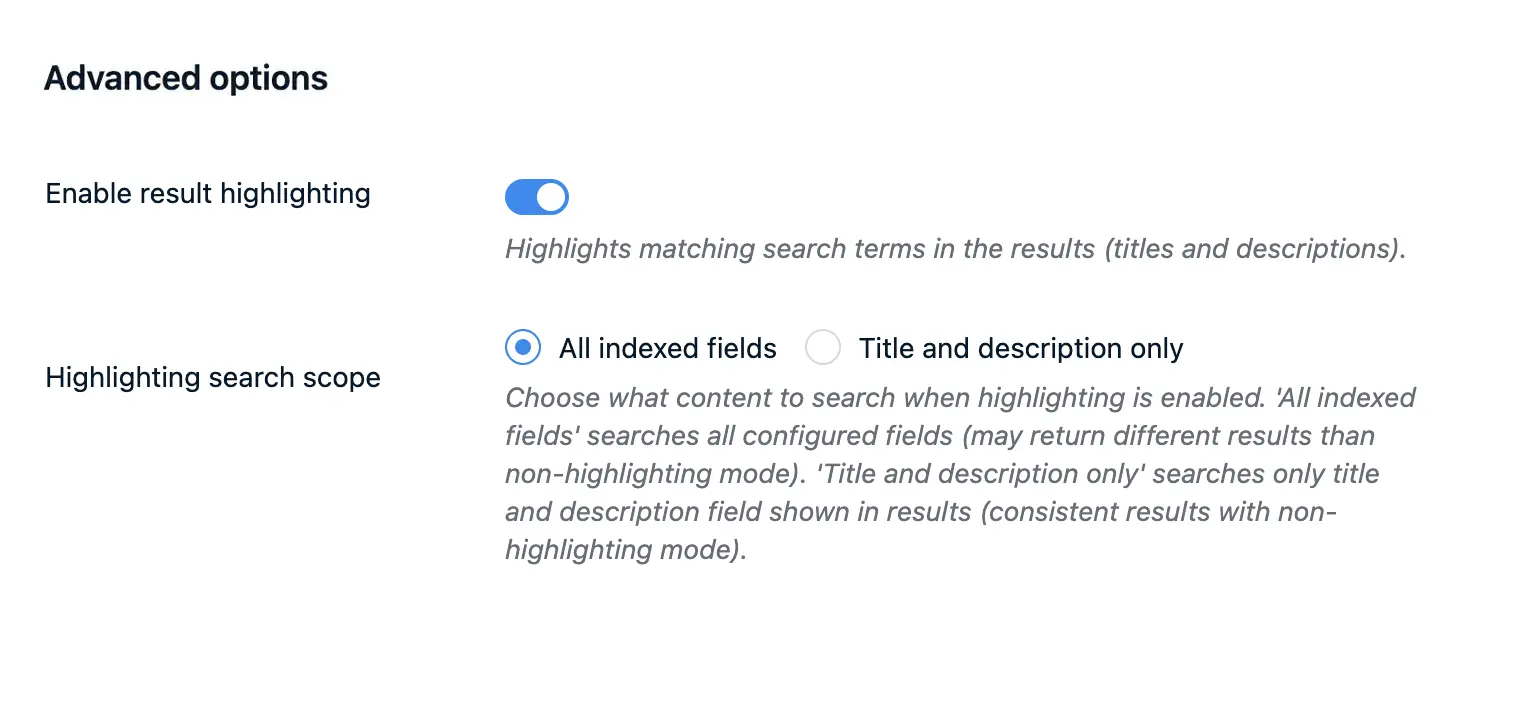
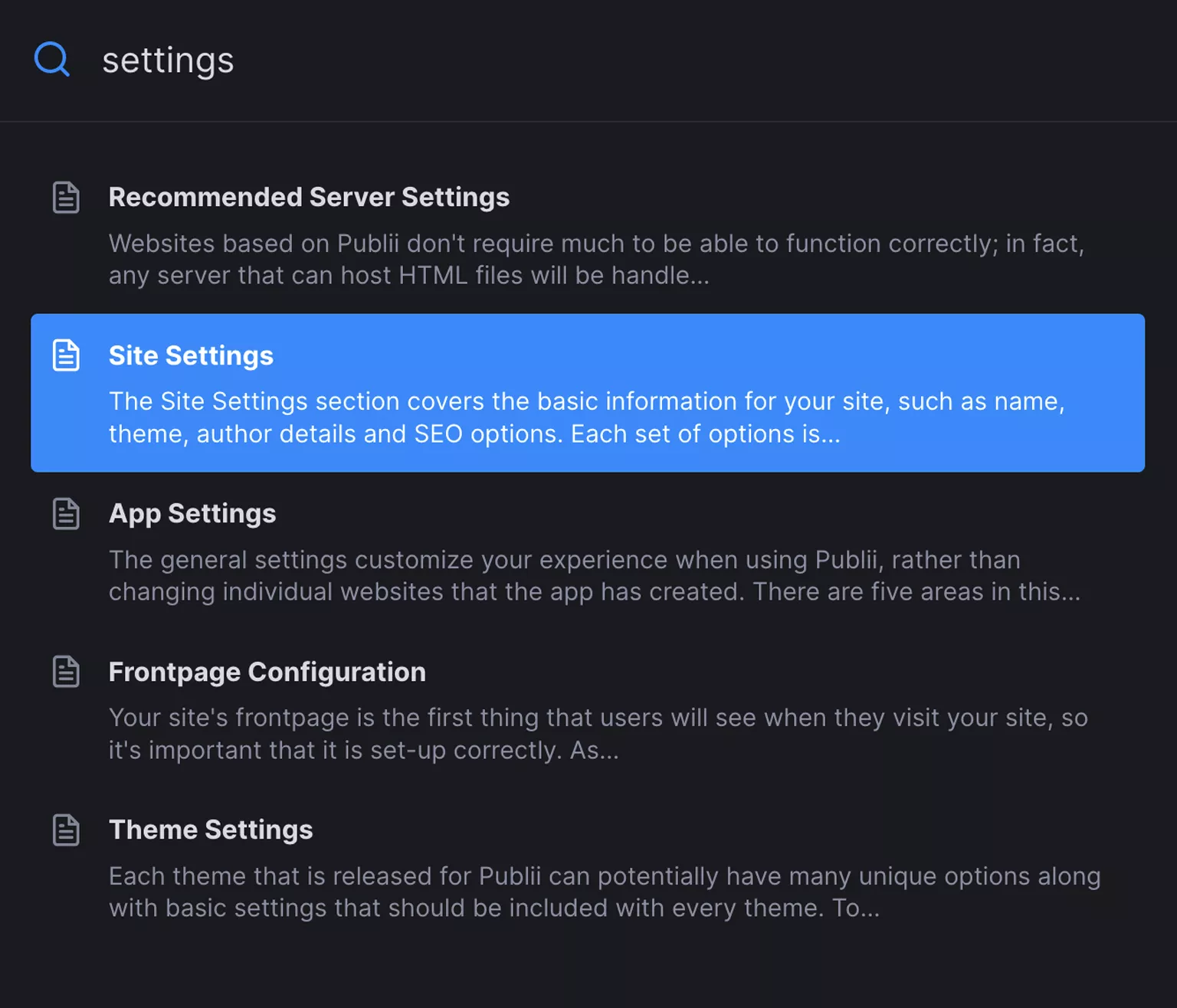
Result highlighting marks matching search terms in titles and descriptions, helping visitors see why each result appeared. You can enable it in the plugin settings to make relevant text easier to spot.
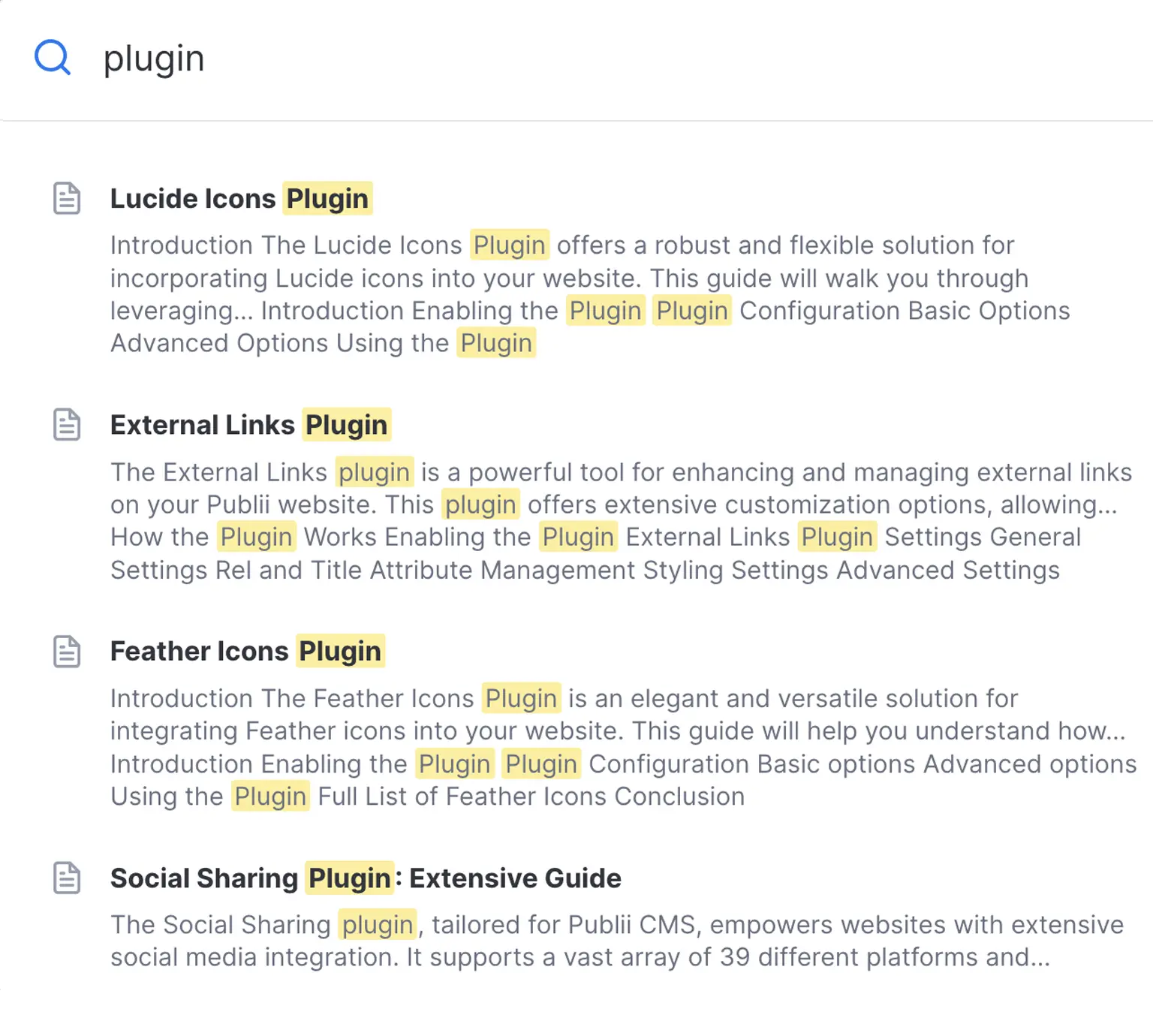
When highlighting is enabled, choose whether to search all indexed fields or titles and descriptions only. Highlight colors follow the light or dark color scheme and can be adjusted through CSS variables to match your site’s design.
Search across multiple Publii sites
If you manage separate Publii sites under the same domain, such as a main website and a blog, you can combine their search results. Add the other sites’ Static Search index URLs in the plugin settings to make their content searchable from one place.
The plugin checks for updated search data whenever a visitor opens search. Changes to indexed content update the search data without forcing otherwise unchanged pages to be uploaded again.
Fine-tune your search settings
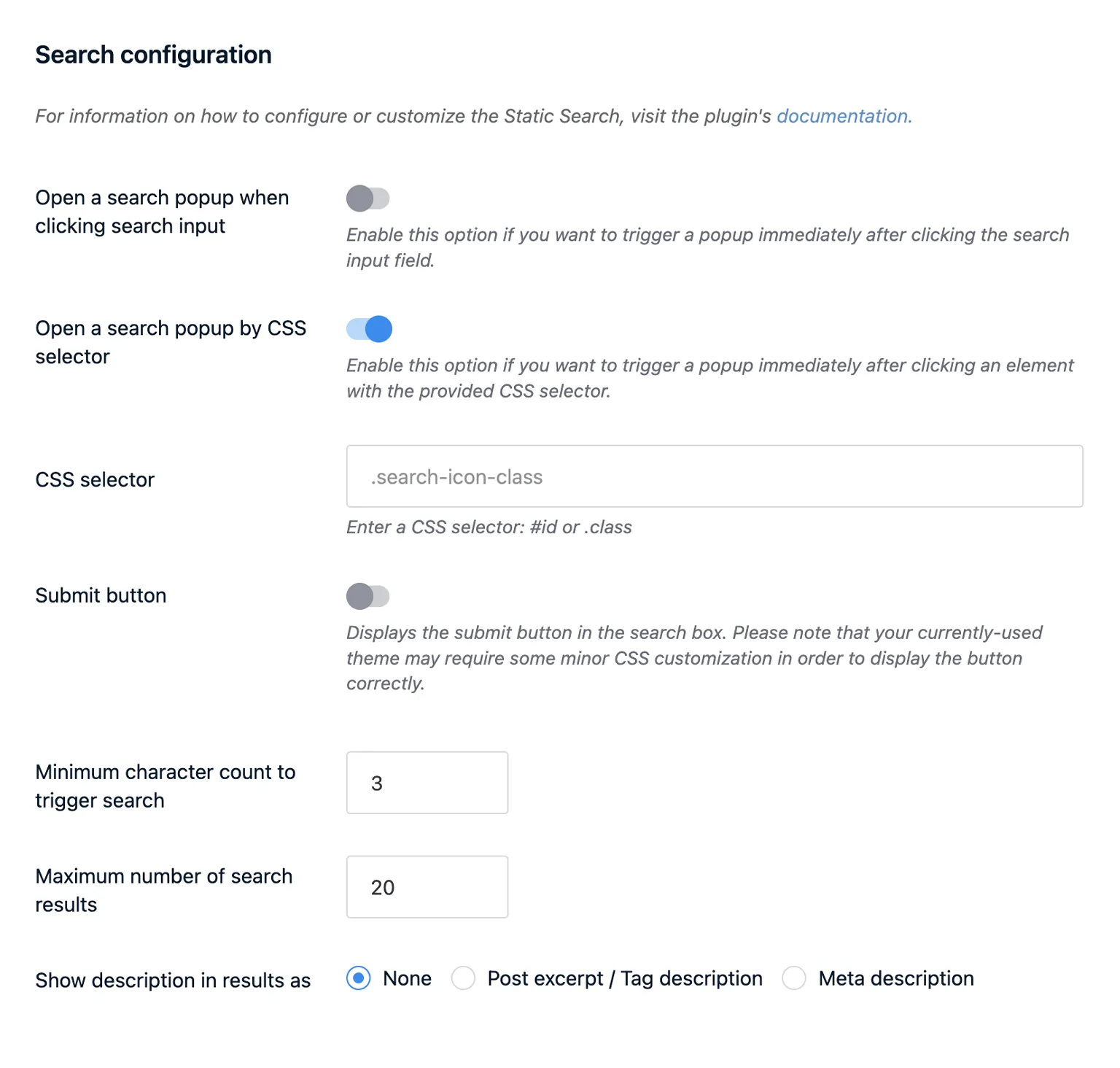
Set the minimum number of characters needed to start a search and how many results to show. You can also choose whether the search popup opens when a visitor clicks the search field or submits a query.
Match your site’s design
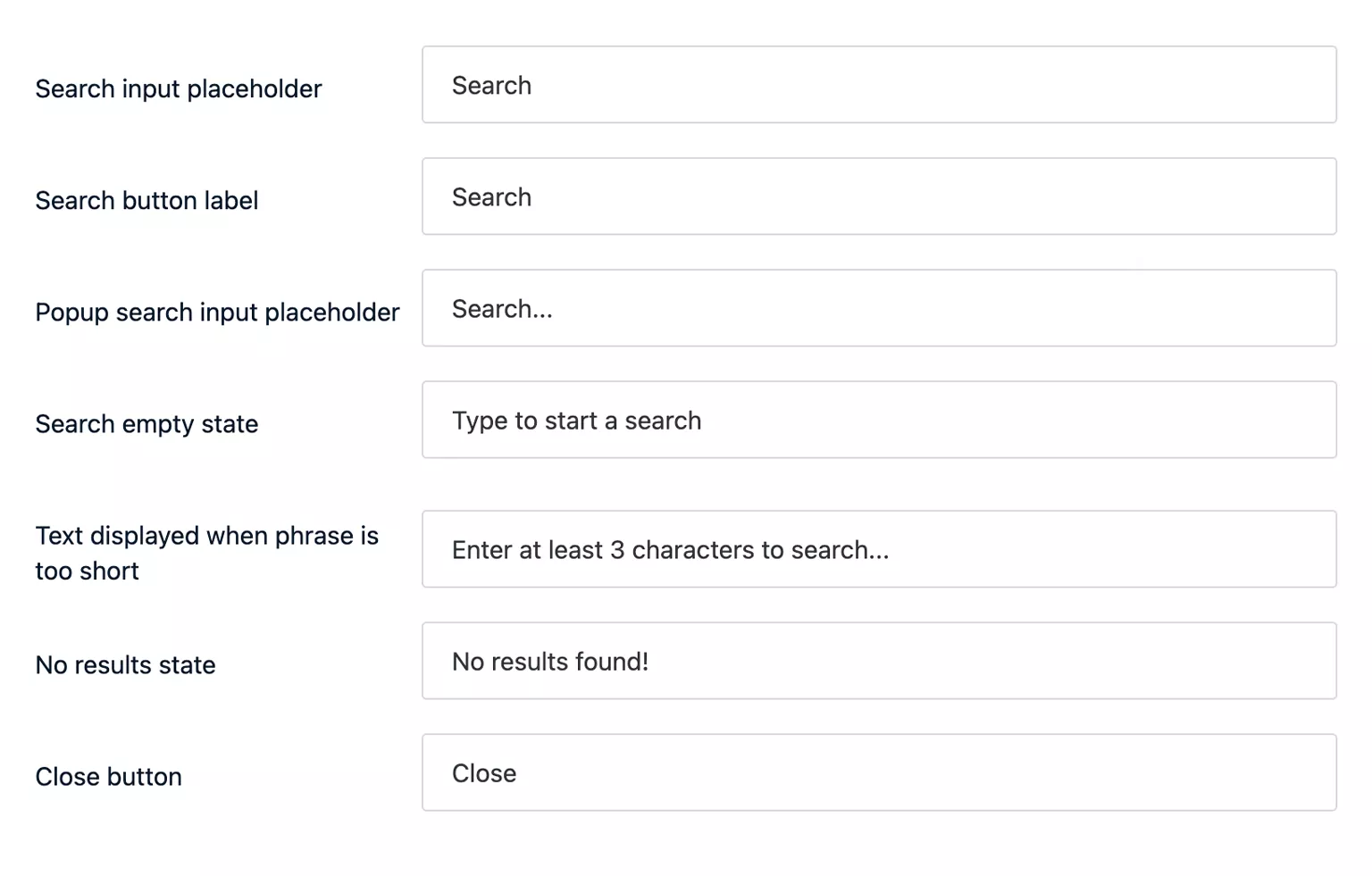
Edit labels and messages to suit your site’s language and tone. The interface supports light and dark modes based on the visitor’s preferred color scheme. Use CSS variables to adjust colors and sizes to match your theme.
* Plus VAT for EU customers
What's included
- Unlimited use - forever, on any number of domains
- 12 months of access to files and updates
- 3 months of premium support included
- 100% ready for personal and commercial use
- One-time payment - no automatic renewals, optional update access at 50% off
Details
- Author:
- Publii Team
- Version:
- Updated:
- Nov 05, 2026
Requirements and compatibility
- Browser:
- Edge, Firefox, Chrome, Safari, Opera
- Requirements:
- Publii 0.46.x and up
From the team behind Publii
This plugin is developed by the same team that builds Publii. Configure it directly in the app, with documentation explaining its settings and how to use them.
Read plugin documentationThree months of support included
Your purchase includes three months of support through our ticket system. Contact the Publii team for help with the plugin's settings or to report a problem.
Read support termsPurchase FAQ
Find out what your purchase includes, how payments work and what happens when your update access expires.
Is this a subscription?
No. Every purchase is a one-time payment. We do not renew your access or charge you automatically. Your purchase includes 12 months of access to product files and updates and three months of technical support.
What happens when my 12 months of file and update access expire?
You can continue using the downloaded theme or plugin without a time limit, subject to its license terms. However, you will no longer be able to download the product or access new updates.
When your access expires, we will send you an email reminder. For the following 60 days, you can renew your access for another 12 months using the link in that email or the "Renew" option in your User Panel. A 50% discount is applied automatically during this renewal period.
After the 60-day renewal period ends, the discounted renewal option will no longer be available. To regain access to the product files and updates, you will need to purchase the product again at its regular price.
Renewal restores access to product files and updates for another 12 months but does not include a new technical support period.
If you need assistance after your included support period has ended, please contact our Customization Service.
How is VAT calculated, and can I receive an invoice?
Any applicable VAT is calculated during checkout based on the information you provide. The final price, including any applicable VAT, is displayed before you place your order.
To receive an invoice, select the "I want an invoice" option during checkout. Once issued, the invoice will be available in your User Panel, and we will notify you by email.
Are premium plugins included?
Premium plugins are not included with this theme. You can purchase them separately from the Publii Marketplace.
Can I cancel my purchase or request a refund?
Our products are digital content delivered immediately after payment. When delivery begins with your prior express consent and acknowledgment, you may lose your statutory right to withdraw from the purchase.
For full details, see our Terms and Conditions.