
Plausible Analytics
Plausible Analytics is a lightweight, fast and privacy-friendly alternative to Google Analytics, focused on the website statistics you need without unnecessary complexity. This plugin connects Plausible to your Publii site in minutes, without requiring any changes to your theme.
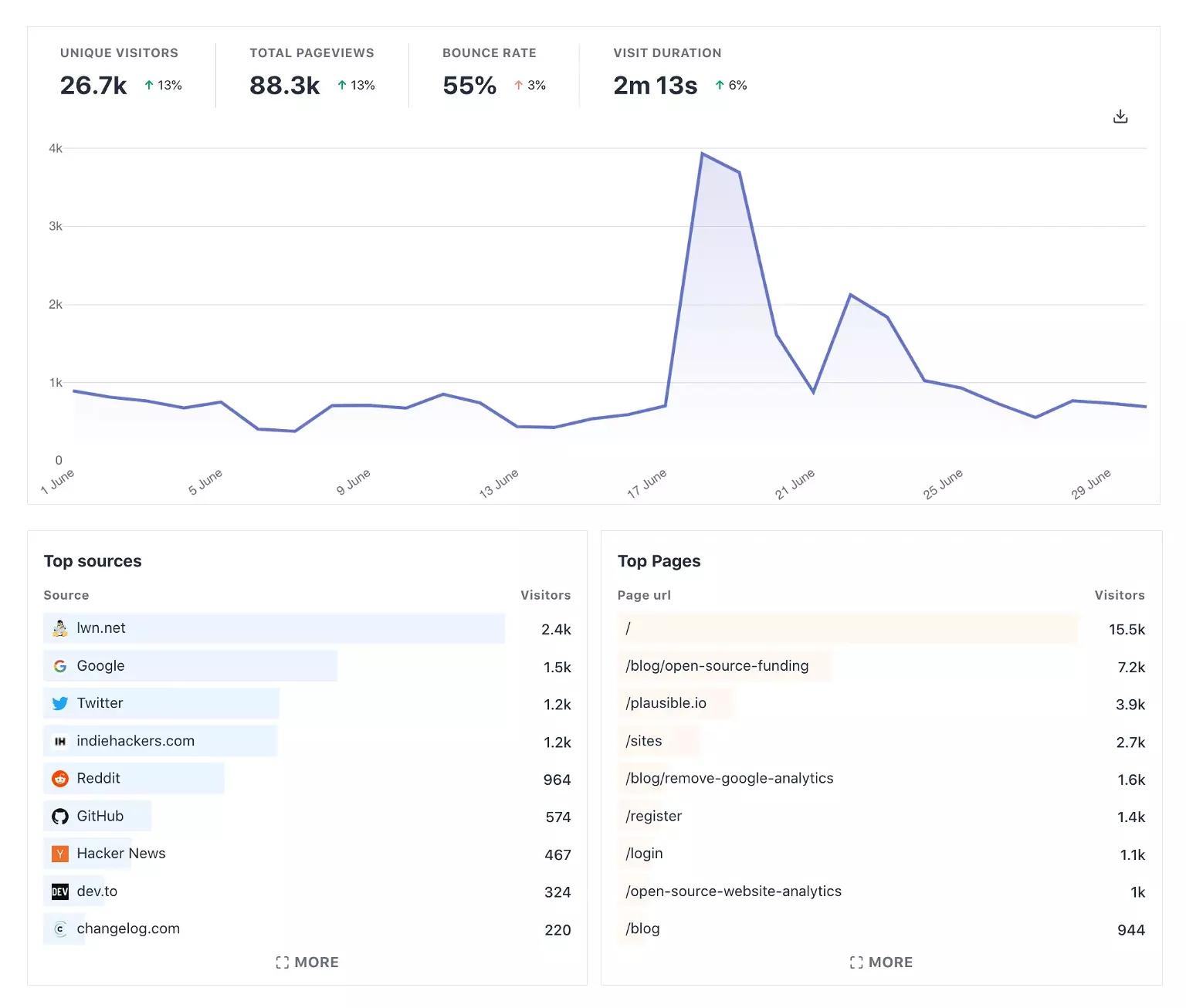
Connect Plausible Analytics to Publii
Plausible Analytics gives you website traffic statistics without using cookies or collecting personal data. Its dashboard covers visitors, page views, visit duration, bounce rate, traffic sources, popular pages, locations, devices, and browsers.
The Plausible Analytics Integration plugin adds the tracking code to pages generated by Publii. You can connect a site without editing its theme or pasting the snippet into every template.
Use the current site-specific tracker
Plausible provides a unique tracking script for each site. Copy the URL ending in pa-XXXXX.js from Site Settings → General → Site Installation in Plausible, then paste it into the plugin’s Tracker script URL field.
The plugin adds the script and the required plausible.init() bootstrap to the site’s head section. It outputs no tracking code when the tracker URL is missing or invalid.
Proxy and self-hosted setups can use an absolute script URL or a root-relative path such as /js/script.js. A separate event endpoint field supports routes such as /api/event.
Configure optional tracking
The site-specific script uses the measurements selected in your Plausible account. The plugin also provides page-level overrides for setups that need them:
- track page paths that use hash-based routing;
- record clicks on outbound links;
- track file downloads using Plausible’s standard file types or a custom extension list;
- capture visits on localhost while testing;
- send a
404event from Publii’s generated error page.
To use 404 tracking, create a custom event goal named 404 in Plausible. The plugin sends the event only from the 404 page and handles visitors who grant consent after the page has loaded.
Test the integration in Preview
Analytics code is disabled in Publii Preview by default, so local checks do not add visits to your reports. Enable Output code in Preview Mode when you need to inspect the generated snippet or test requests, then turn it off when testing is complete.
Load Plausible after cookie consent
Plausible does not use cookies by default, so most standard installations do not need prior consent for cookies. If your privacy setup or customized tracker requires consent, the plugin can connect to Publii’s native Cookie Banner.
Enable Require consent before loading and enter the matching Cookie Group ID from Publii’s Privacy Settings. Publii then holds both the tracker and its initialization code until the visitor accepts that group. Withdrawing consent blocks the integration again after Publii reloads the page.
What you get
- Unlimited use - forever, on any number of domains
- Free to use for both personal and commercial projects
- Community support through the forum
Details
- Author:
- Publii Team
- Version:
- Updated:
- Aug 24, 2026
Requirements and compatibility
- Browser:
- Edge, Firefox, Chrome, Safari, Opera
- Requirements:
- Publii 0.39 and up