
Markdown Importer
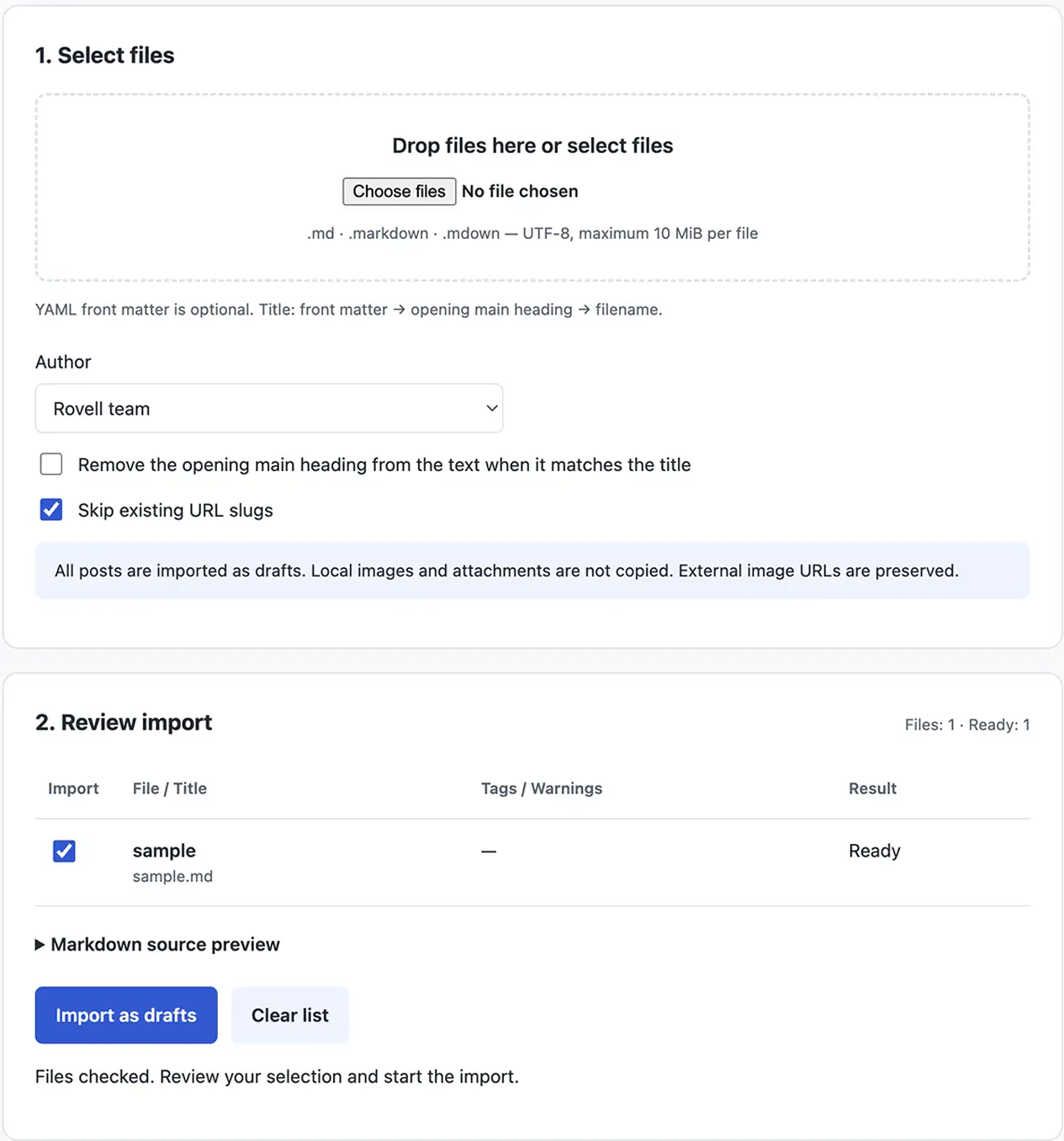
Markdown Importer brings existing Markdown files into Publii as editable draft posts. Select multiple files or drag in entire folders, including subfolders, and review detected titles and optional YAML metadata before importing. The plugin preserves the original Markdown for editing, lets you choose an existing author, and skips URL slugs already used on your site.
Key features
- Import multiple .md, .markdown, and .mdown files through file selection or drag-and-drop.
- Drop entire folders to import Markdown files from them and their subfolders, automatically ignoring other file types.
- Create draft posts with the original Markdown preserved for further editing in Publii’s Markdown editor.
- Read optional YAML metadata for titles, URL slugs, dates, descriptions, and tags.
- Review detected titles and metadata, preview source text, and choose an existing author before importing.
- Skip files whose URL slugs already exist, keeping existing posts unchanged.
- View validation warnings and import results to see which files were imported or skipped.
- Process files locally with bundled scripts and styles.
- Automatically follow Publii’s interface language, with English and German included and English as the fallback.
Requires Publii 0.48.1 or later. Local images, attachments, and featured images are not copied during import.
Details
- Author:
- Oliver Pifferi
- Added:
- November 25, 2026
Requirements and compatibility
- Browser:
- Edge, Firefox, Chrome, Safari, Opera
- Requirements:
- Publii 0.48.1 and up