
GraphComment
GraphComment is a hosted commenting system that organizes replies into visual discussion threads and gives readers a place to respond to your content. The GraphComment plugin connects the service to Publii posts and pages using your GraphComment ID. You can choose the initial discussion order, control pagination, customize the comment area, enable lazy loading, and manage cookie consent through Publii’s built-in Cookie Banner.
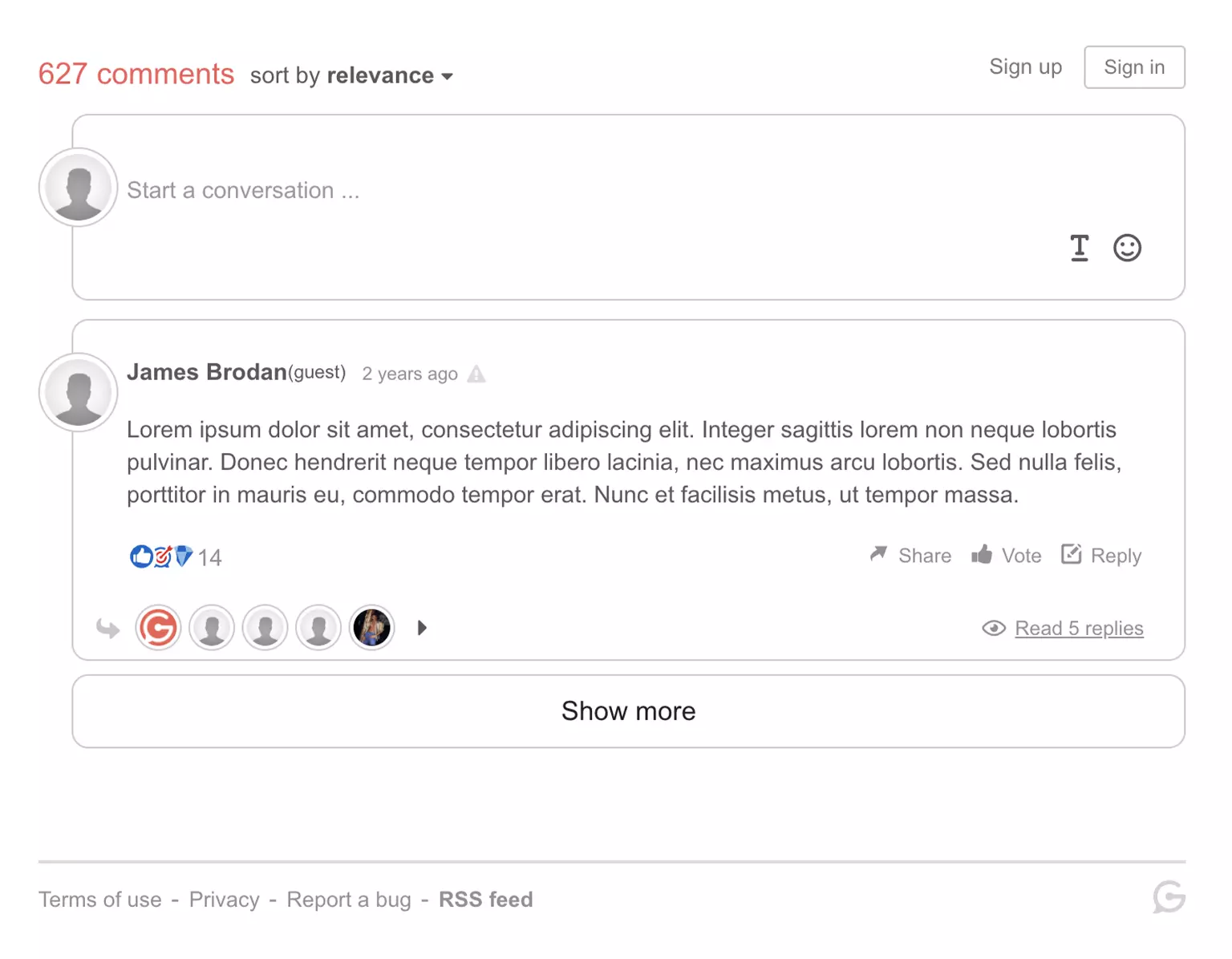
Add GraphComment discussions to your site
Give readers a structured space to respond to your articles and follow conversations without losing their place in a long thread. The GraphComment plugin adds the hosted comment system to selected Publii posts and pages.
Enter your GraphComment ID and the plugin generates the current embed for you. Each post and page receives a stable discussion ID, published URL, and title, helping GraphComment keep the right conversation connected when a page URL changes.
Before you start: The Publii plugin is free. GraphComment requires a separate account and a registered site. GraphComment offers a free, ad-free Basic plan and paid plans with different limits and features. Check the current GraphComment plans before you begin.
Why use GraphComment with Publii?
GraphComment provides the discussion interface and moderation tools, while the Publii plugin connects them to your content, theme, loading preferences, and privacy settings.
- Keep long conversations readable: GraphComment’s Bubble Flow interface organizes replies as navigable discussion branches. Bubble Rank can place relevant conversations higher in the thread.
- Give readers more ways to participate: Visitors can reply, vote, react, format text, share discussions, and add supported images, GIFs, or videos.
- Control performance and visitor choice: Load the external embed when a visitor approaches the comment section, or hold it until the visitor accepts the Cookie Group selected in Publii.
Plugin features
- Add GraphComment discussions to Publii posts and pages.
- Connect the integration using the GraphComment ID from your site’s Setup tab.
- Use the current GraphComment embed loader.
- Assign a stable GraphComment discussion ID to each Publii post and page.
- Send the published page URL and title to GraphComment.
- Choose newest, oldest, or most relevant as the initial discussion order.
- Set the number of top-level discussions loaded on each page or use the GraphComment default.
- Add a custom comments heading and choose its heading level.
- Set CSS classes for the outer container, inner container, and heading.
- Load comments when the visitor scrolls close to the comment section.
- Block the GraphComment script until the visitor accepts a selected Publii Cookie Group.
- Set separate messages for disabled JavaScript and pending cookie consent.
- Show a status message instead of loading the external embed in Publii Preview.
GraphComment features
- Bubble Flow for navigating branching conversations.
- Bubble Rank for ordering discussions by relevance.
- Replies, votes, reactions, and discussion sharing.
- Images, GIFs, video embeds, links, and text formatting.
- Responsive layouts for desktop and mobile screens.
- A notification center for replies, votes, and badges.
- Badges and awards for community participation.
- Pre-moderation, post-moderation, spam controls, and multi-moderator workflows.
- AI-assisted and advanced moderation options on supported plans.
- Publisher access to comment data and export tools.
- European data residency on infrastructure based in France.
GraphComment controls these service features. Availability, usage limits, and moderation tools vary by plan.
Frequently Asked Questions
These answers cover accounts, page support, discussion identity, ordering, cookie consent, and preview behavior.
- Is the GraphComment plugin free?
Yes. You can use the Publii plugin on personal and commercial websites. GraphComment is a separate service with free and paid plans, its own limits, and its own terms. - Does the plugin support posts and pages?
Yes. You can enable discussions for both content types or control them for individual posts and pages. - Where can I find my GraphComment ID?
Open your website in the GraphComment back office and select its Setup tab. Copy the shortname shown as the graphcommentId value and enter it in Publii. - Will discussions survive a URL change?
The plugin assigns the Publii post or page ID as GraphComment’s stable uid and also sends the published URL. Keep the same GraphComment ID and content ID to preserve the connection. A custom integration that used another uid may require migration. - Can I choose the default comment order?
Yes. Select newest, oldest, or most relevant, or let GraphComment use the setting from its back office. A returning visitor may keep a saved personal preference. - Do I have to use the Publii Cookie Banner?
No. Cookie Banner integration is optional. Enable it when you want Publii to block the GraphComment script until the visitor accepts the assigned Cookie Group. - Why do comments not appear in Publii Preview?
The plugin displays a status message instead of loading GraphComment in Publii Preview. Publish the site to a staging or public URL to test the embed, sorting, pagination, and cookie consent flow. - Can I match the discussion area to my theme?
Yes. The plugin lets you change the heading text and level, plus the CSS classes on the surrounding Publii containers. GraphComment provides separate appearance controls for the embedded interface.
Download the GraphComment plugin, connect your site ID, and add structured discussions to the posts and pages you publish with Publii.
What you get
- Unlimited use - forever, on any number of domains
- Free to use for both personal and commercial projects
- Community support through the forum
Details
- Author:
- Publii Team
- Version:
- Updated:
- Sep 25, 2026
Requirements and compatibility
- Browser:
- Edge, Firefox, Chrome, Safari, Opera
- Requirements:
- Publii 0.46.x and up