
EchoThread Comments
EchoThread is a hosted, privacy-first comment platform with threaded replies, reactions, image attachments, and machine-learning spam filtering. The EchoThread Comments plugin connects the service to Publii posts and pages through your API key, keeps each discussion attached to the right content, and provides controls for appearance, mobile layout, loading, structured data, and optional Cookie Banner consent.
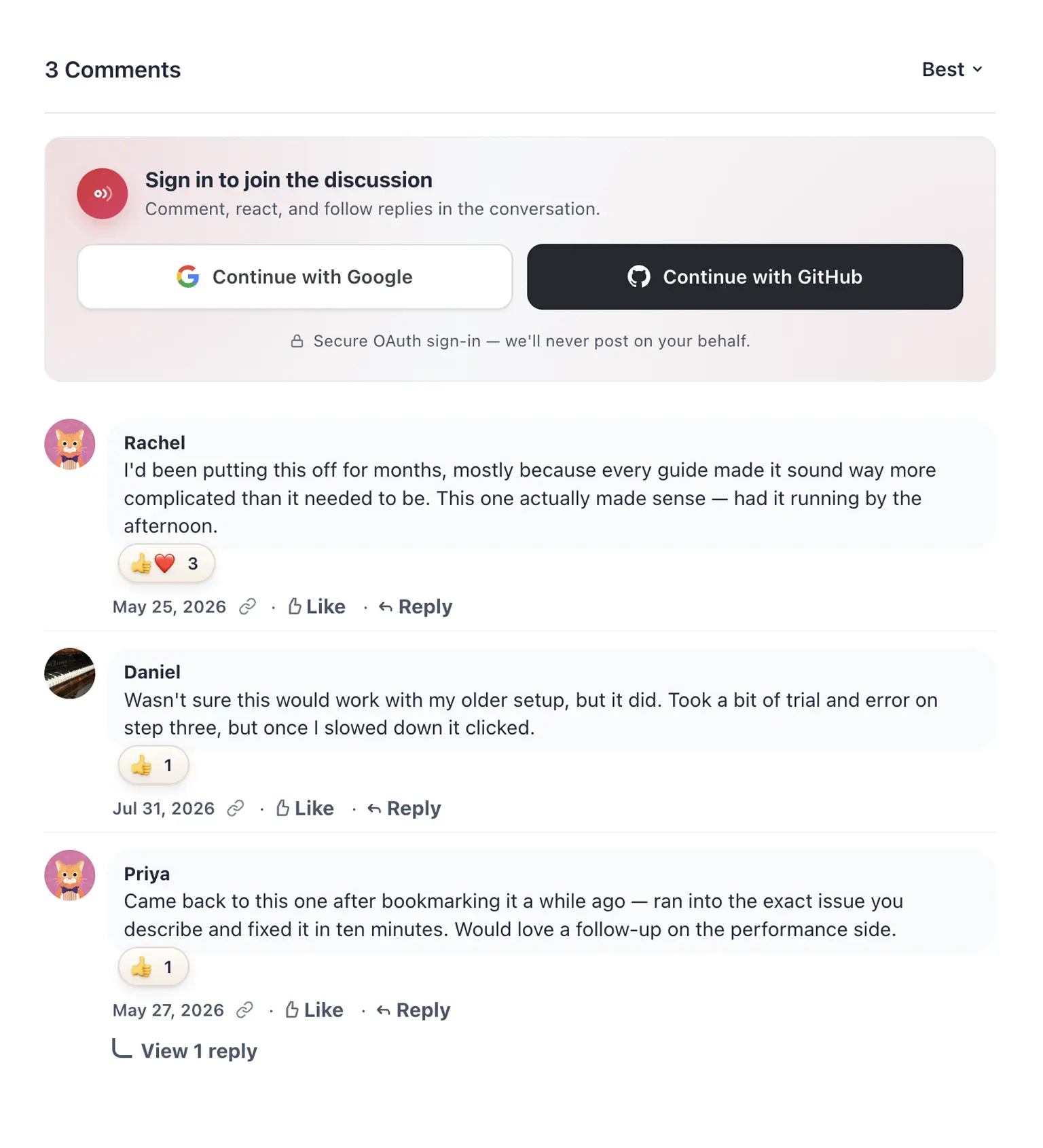
Add EchoThread comments to your website
EchoThread adds a hosted discussion area to blogs, documentation, tutorials, and other content published with Publii. Readers can post as guests when you allow it, sign in with a supported provider, reply in nested threads, react to comments, and attach images. You review comments and spam from the EchoThread moderation dashboard.
The plugin creates the EchoThread container and loads the current widget script in the comment area supplied by your Publii theme. Enter your API key, choose the display settings, and publish. Publii assigns a stable identifier to each post and page, so a slug change does not separate an existing discussion from its content.
Before you start: The Publii plugin is free. EchoThread runs as a separate hosted service and requires an EchoThread account, a registered domain, and a site API key. The EchoThread Hobby plan is free for your first site and includes monthly usage limits. Check the current EchoThread pricing and limits before publishing.
Why use EchoThread with Publii?
EchoThread supplies the comment service and moderation dashboard. The Publii plugin connects the widget to your content IDs, page URLs, theme settings, and privacy preferences.
- Filter modern comment spam: EchoThread sends new comments through its Siftfy machine-learning classifier. High-risk submissions enter the spam workflow, while borderline cases remain available for moderator review.
- Give readers more ways to respond: Visitors can join threaded discussions, use emoji reactions, attach images, and share links with preview cards.
- Protect page performance: EchoThread states that its widget is about 37 KB when compressed. The plugin can delay the script until the reader scrolls near the comment section.
- Keep control of visitor data: EchoThread serves no ads and states that it uses no third-party tracking. You can export comments from the service and use Publii’s Cookie Banner when your privacy setup requires consent.
Plugin features
The plugin exposes the supported EchoThread embed options inside Publii, so you can configure comments without editing a theme template.
- Add EchoThread comments to Publii posts and pages.
- Connect the widget with the API key from your EchoThread site settings.
- Use the current script from
cdn.echothread.io/widget.js. - Assign stable thread identifiers based on Publii post and page IDs.
- Send the public page URL and title to the EchoThread dashboard.
- Support Publii sites that publish absolute or relative URLs.
- Follow each visitor’s browser language or select English, Italian, Korean, or Simplified Chinese.
- Follow the visitor’s system theme, force light or dark mode, choose a background color, or read a CSS custom property from the active theme.
- Set the widget accent color and choose labelled or icon-only sign-in buttons.
- Choose an EchoThread font preset, inherit the site font, or enter a custom CSS font family.
- Set the base font size, corner radius, mobile composer gap, avatar size, and minimum width.
- Allow EchoThread to add schema.org
DiscussionForumPostingdata for approved comments. - Add a custom comments heading and choose its heading level.
- Set CSS classes for the outer container, inner container, and heading.
- Load the widget when the reader scrolls near the comments section.
- Hold the EchoThread script until the visitor accepts a selected Publii Cookie Group.
- Set messages for disabled JavaScript and pending cookie consent.
- Show a status message without requesting EchoThread in Publii Preview.
EchoThread features
EchoThread controls the service features below. Your plan and site settings determine the available usage allowance and moderation behavior.
- Nested comment threads with replies up to five levels deep.
- Like, Love, Haha, and Angry reactions, with more reactions available through site settings.
- JPEG, PNG, GIF, and WebP image attachments.
- Link previews built from Open Graph metadata.
- Bold, italic, strikethrough, and click-to-reveal spoiler formatting.
- Newest, oldest, most liked, and most replied sorting.
- Guest comments and supported social sign-in options.
- Siftfy spam scoring for incoming comments.
- Approve, reject, delete, and status filters in the moderation dashboard.
- Auto-approve and manual review modes configured per site.
- Comment import from Disqus and WordPress export files.
- JSON and CSV export for backups or migration.
- No advertising or third-party tracking.
Frequently Asked Questions
EchoThread combines a free entry plan with guest comments, machine-learning spam filtering, a lightweight widget, and exportable data. Use this FAQ to check costs, setup requirements, privacy controls, and fit before you install the plugin.
- What does EchoThread add to a Publii site?
EchoThread gives your readers threaded comments, reactions, image attachments, link previews, and guest or account-based posting. You manage discussions and spam from one moderation dashboard. - Is the plugin free, and what does EchoThread cost?
The Publii plugin is free. EchoThread’s Hobby plan covers the first site with 10,000 pageviews and 1,000 comments per month as of August 2026. Paid plans cover higher usage and more sites. Check the current pricing before publishing. - Can readers comment without creating an account?
Yes. Enable guest comments in your EchoThread site settings and readers can post with a display name. You can also offer supported social sign-in options. - How does EchoThread handle spam?
EchoThread’s Siftfy classifier scores each new comment. High-risk submissions enter the spam workflow, while uncertain cases remain available for moderator review. You can combine spam filtering with auto-approve or manual approval. - Will EchoThread slow down my website?
EchoThread states that its widget is about 37 KB when compressed. The plugin can wait until the reader scrolls near the comment section before it downloads the script. - Does EchoThread show ads or track visitors?
EchoThread serves no ads and states that it uses no third-party tracking. The plugin can also hold the widget until a visitor accepts a selected Publii Cookie Group when your privacy setup requires consent. - Do I need to edit my Publii theme?
Current themes with comment plugin support need no template edits. Enable comments in the theme settings and add your EchoThread API key. Older or custom themes may need thecommentsCustomCodehelper. The plugin supports posts and pages. - Will discussions survive URL changes?
Yes, if the post or page keeps the same Publii ID. The plugin creates a stable EchoThread identifier from that ID, so changing a slug does not start an empty discussion. - Can I match EchoThread to my site’s design?
Yes. Choose light, dark, or system mode, set brand colors and typography, and adjust the mobile layout. The widget can also read a background color from your theme’s CSS custom property. - Can I export my comments?
Yes. EchoThread provides JSON and CSV exports, so you can keep backups or move your discussion data to another service.
Download the EchoThread Comments plugin, connect your site API key, and add moderated discussions to the posts and pages you publish with Publii.
What you get
- Unlimited use - forever, on any number of domains
- Free to use for both personal and commercial projects
- Community support through the forum
Details
- Author:
- Publii Team
- Version:
- Updated:
- Sep 25, 2026
Requirements and compatibility
- Browser:
- Edge, Firefox, Chrome, Safari, Opera
- Requirements:
- Publii 0.46.x and up