
Core Lightbox Gallery
Core Lightbox Gallery turns native Publii galleries into responsive PhotoSwipe lightboxes with touch gestures, keyboard navigation, configurable zoom, captions, downloads, custom icons, animations, and translatable interface labels. The plugin uses locally bundled PhotoSwipe files and does not require an account or an external service.
Built on PhotoSwipe 5
Core Lightbox Gallery uses PhotoSwipe 5, an established open-source library created for responsive image viewing. It handles touch gestures, precise zooming, slide navigation, keyboard input, and focus management across mobile and desktop browsers.
The plugin connects these capabilities to Publii’s native gallery markup and makes the most useful PhotoSwipe options available directly in the plugin settings. You can shape the gallery experience without editing its HTML or configuring the library by hand.
Key features
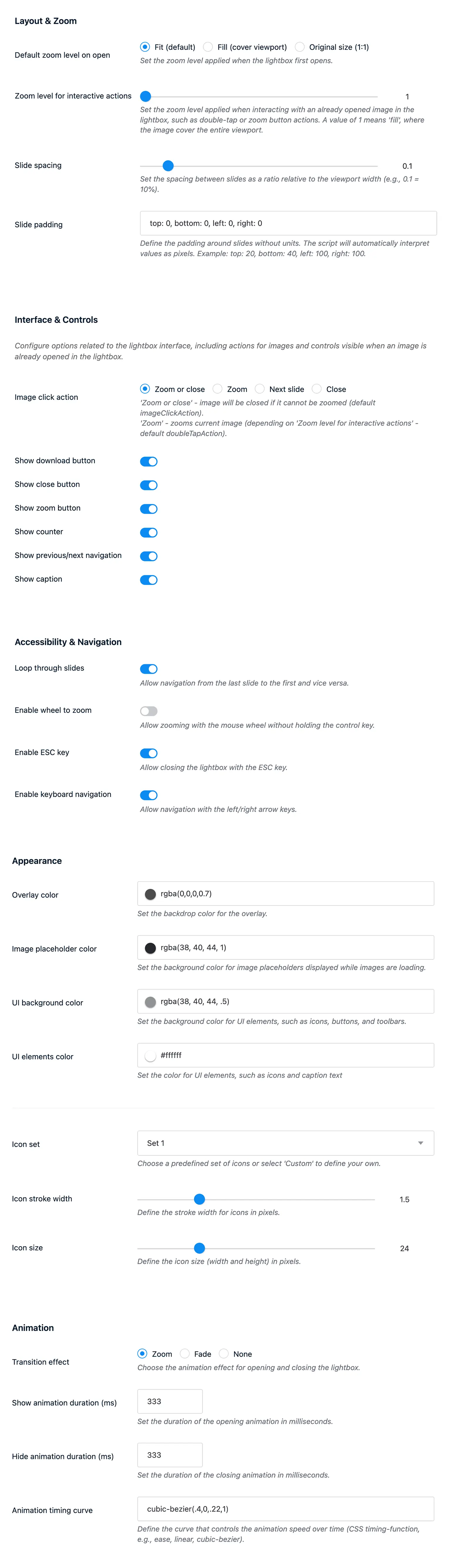
- Flexible zoom behavior: Open images fitted to the viewport, filling the available area, or at their original size. A separate secondary zoom level controls interactive zoom actions.
- Configurable controls: Show or hide the close, zoom, download, counter, and previous or next buttons.
- Multiple navigation methods: Support swipe gestures, keyboard arrows, the Escape key, mouse wheel zooming, image clicks, and optional gallery looping.
- Captions and downloads: Display gallery captions or image alternative text and let visitors download the currently viewed image.
- Independent galleries: Each gallery on a post or page opens as a separate PhotoSwipe collection.
Control the look and behavior
Adjust slide spacing and viewport padding, choose what happens when a visitor clicks an image, and configure separate durations for opening and closing animations. The lightbox can use zoom, fade, or no transition, along with a custom CSS timing function.
Appearance settings cover the overlay color and opacity, image placeholder, interface background, icon color, stroke width, and icon size. Four icon sets are included, with an option to paste custom SVG markup for the gallery controls.
Interface labels and messages can be translated directly in the plugin settings, allowing the lightbox controls, dialog, counter, and loading error to match the language of your website.
Performance and accessibility
On posts and pages, the plugin adds its assets only when Publii reports gallery content. The published version uses ES modules and loads the main PhotoSwipe module when a visitor opens the lightbox.
PhotoSwipe manages keyboard focus while the viewer is open and responds to the visitor’s reduced-motion preference. The plugin adds an accessible name to the lightbox dialog and configurable labels for its controls.
Theme compatibility: This plugin requires a Publii theme released on December 10, 2024, or later. In most cases, this means version 2.1.0.0 or 3.1.0.0. Custom and older themes may need an update. Read the Publii gallery plugins guide for details.
What you get
- Unlimited use - forever, on any number of domains
- Free to use for both personal and commercial projects
- Community support through the forum
Details
- Author:
- Publii Team
- Version:
- Updated:
- Aug, 23 2026
Requirements and compatibility
- Browser:
- Edge, Firefox, Chrome, Safari, Opera
- Requirements:
- Publii 0.43.x and up