
Commentix Comments
Commentix is a hosted commenting system that gives readers a place to respond to your posts and pages. According to Commentix, the service displays no ads and uses no cookies for analytics, tracking, or marketing. The Commentix plugin connects the service to Publii using your Site ID, keeps discussions attached to the right content, and lets you control language, comment order, reply depth, appearance, loading behavior, and optional Cookie Banner consent.
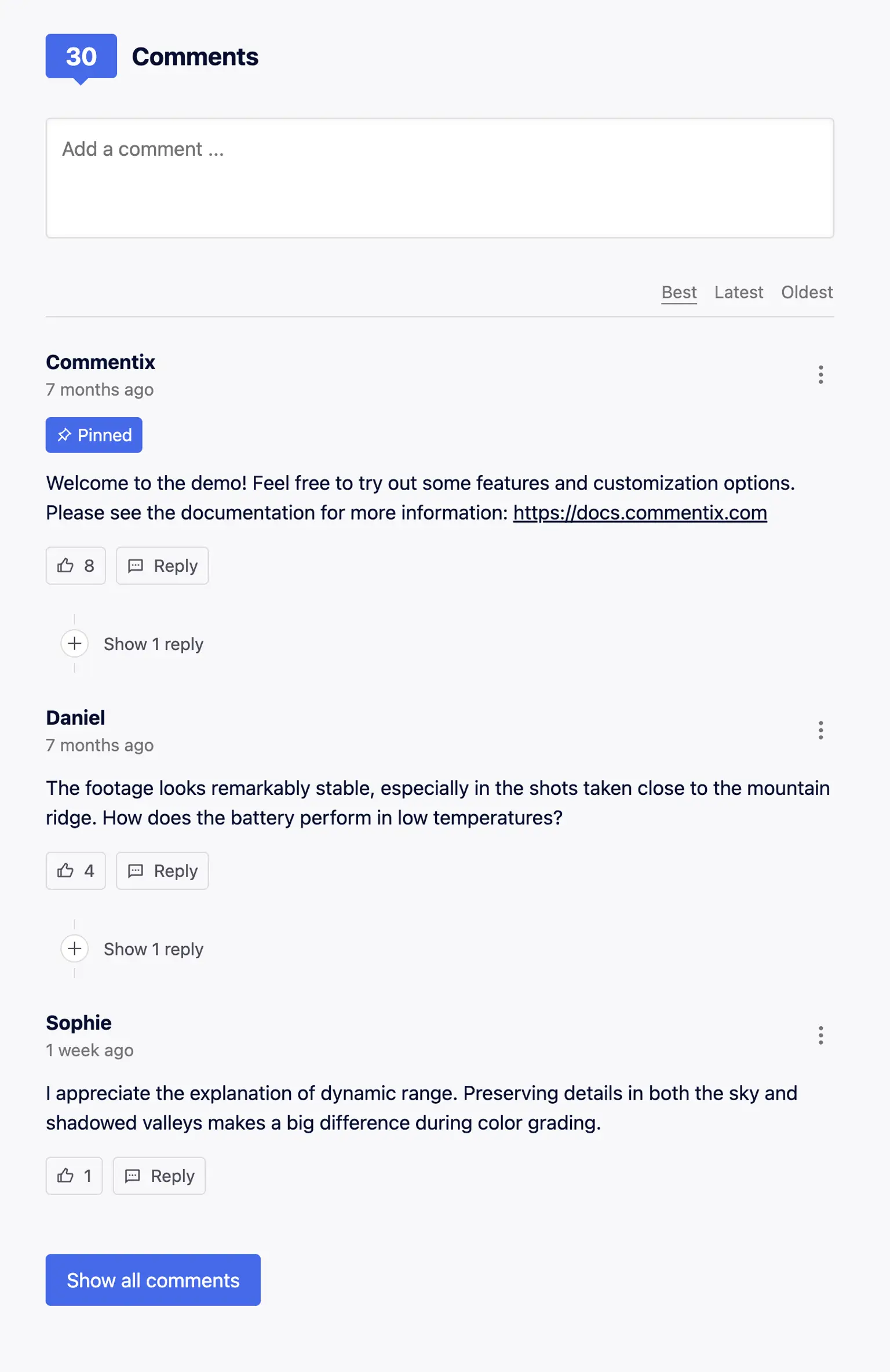
Add lightweight comments to your site
Commentix adds a hosted discussion area to blogs, documentation sites, and other content published with Publii. Readers can post comments, reply in threads, and like useful contributions. You manage each discussion from the Commentix Console.
The plugin creates the Commentix Web Component for selected Publii posts and pages. Add your Site ID, choose the comment settings, and publish. Publii assigns a stable thread identifier to each item, so changing a slug does not disconnect the discussion from its content.
Before you start: The Publii plugin is free. Commentix is a separate paid service with a 14-day trial. Subscription limits depend on the total number of monthly widget pageviews across your connected sites. Check the current Commentix pricing before you begin.
Why use commentix with Publii?
Commentix supplies the comment service and moderation console. The Publii plugin connects the widget to your content, theme, performance settings, and privacy preferences.
- Keep the embed light: Commentix states that its widget is under 30 KB. It uses a Web Component instead of an iframe and does not download an external font.
- Give readers a focused discussion space: Visitors can write comments, reply in nested threads, and like contributions without an advertising-supported interface.
- Control moderation: Choose automatic, granular, or manual moderation. Granular moderation can hold comments that contain links or blocked words for review.
- Respect visitor choice: Commentix states that it uses no tracking or marketing cookies. If your privacy policy still requires consent for the external service, Publii can hold the script until the visitor accepts your selected Cookie Group.
Plugin features
The plugin exposes the main Commentix embed settings in Publii, so you can configure the discussion area without editing a theme template.
- Add Commentix to Publii posts and pages.
- Connect your account with the Site ID from the Commentix Console.
- Use the current Commentix Web Component and widget loader.
- Assign a stable thread ID based on the Publii post or page ID.
- Send a full page URL when Publii generates absolute links.
- Support Publii sites that generate relative links without sending an invalid URL to Commentix.
- Use the page language or select one of the supported Commentix languages.
- Choose best, newest, or oldest as the initial comment order.
- Set the maximum reply depth and the number of comments and reply levels shown at first.
- Show or hide the comment count and comment likes.
- Set the widget accent color and base interface size.
- Add a custom comments heading and choose its heading level.
- Set CSS classes for the outer container, inner container, and heading.
- Load the external widget when the visitor scrolls near the comment section.
- Hold the Commentix script until the visitor accepts a selected Publii Cookie Group.
- Set messages for disabled JavaScript and pending cookie consent.
- Show a status message instead of requesting the external service in Publii Preview.
Commentix features
Commentix controls the service-side features below. The available usage allowance depends on your subscription.
- Threaded comments with configurable reply depth.
- Comment likes and a total comment count.
- Best, newest, and oldest sorting options.
- Automatic, granular, and manual moderation modes.
- Email notifications for new comments or comments that need review.
- Support for more than 20 interface languages.
- A Web Component embed without an iframe.
- CSS variables for scale, fonts, colors, dark mode, corner radius, and comment line limits.
- No advertising and no tracking or marketing cookies.
- JSON import for migrations and backups.
- JSON export for backups or migration to another system.
Frequently Asked Questions
These answers cover accounts, pricing, supported content, discussion identity, privacy, and testing.
- What does the Commentix plugin add to Publii?
It adds a hosted comment section to your posts and pages, giving readers a place to respond, join threaded discussions, and like useful comments. - Is the Commentix plugin free?
Yes. The Publii plugin is free. Commentix is a separate paid service with a 14-day trial and plans based on monthly widget pageviews. - Does Commentix display ads or use tracking cookies?
Commentix states that its widget contains no advertising and uses no cookies for analytics, tracking, or marketing. - Do I need to edit my theme code?
Current Publii themes support comment plugins. Add your Commentix Site ID, enable comments in the theme settings, and publish your website. Older or custom themes may need a small template update. - Can I customize the comment section?
Yes. Choose the language, comment order, reply depth, accent color, interface size, heading, and initial number of visible comments. Theme developers can also use Commentix CSS variables. - Can I control which comments appear?
Yes. Commentix provides automatic, granular, and manual moderation modes. You can hold comments containing links or selected words for review. - Does the plugin support both posts and pages?
Yes. You can enable comments across either content type or control them for individual posts and pages. - Can I back up or move my comments?
Yes. Commentix provides JSON export for backups and migrations, plus JSON import for restoring or transferring compatible comment data.
Download the Commentix plugin, connect your Site ID, and add a compact, privacy-focused discussion area to the posts and pages you publish with Publii.
What you get
- Unlimited use - forever, on any number of domains
- Free to use for both personal and commercial projects
- Community support through the forum
Details
- Author:
- Publii Team
- Version:
- Updated:
- Sep 25, 2026
Requirements and compatibility
- Browser:
- Edge, Firefox, Chrome, Safari, Opera
- Requirements:
- Publii 0.46.x and up